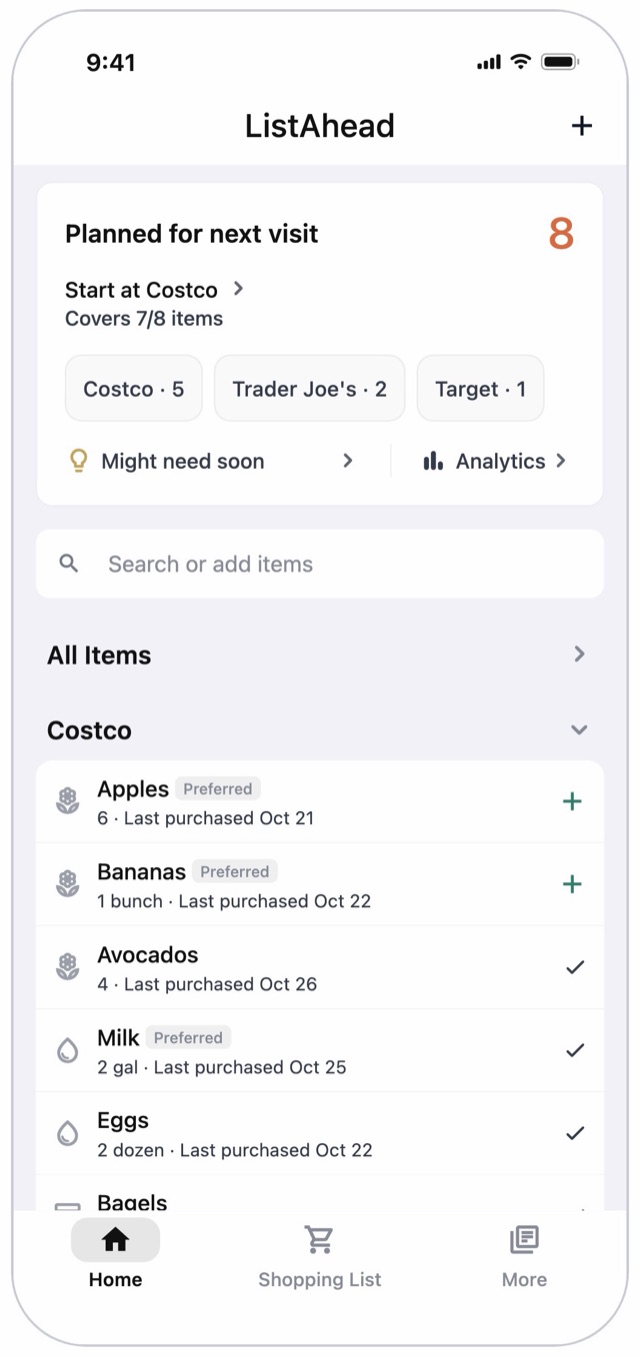
Start at
Your list, organized by store.
Give each item a preferred store, and your list groups itself by store. Start at picks the store that carries the most of what you need, so you know where to go first.
A grocery list that learns how you shop. It organizes your list by store, shows you where to start, and suggests what you might need next.
No accountNo adsNo tracking
Start at
Give each item a preferred store, and your list groups itself by store. Start at picks the store that carries the most of what you need, so you know where to go first.
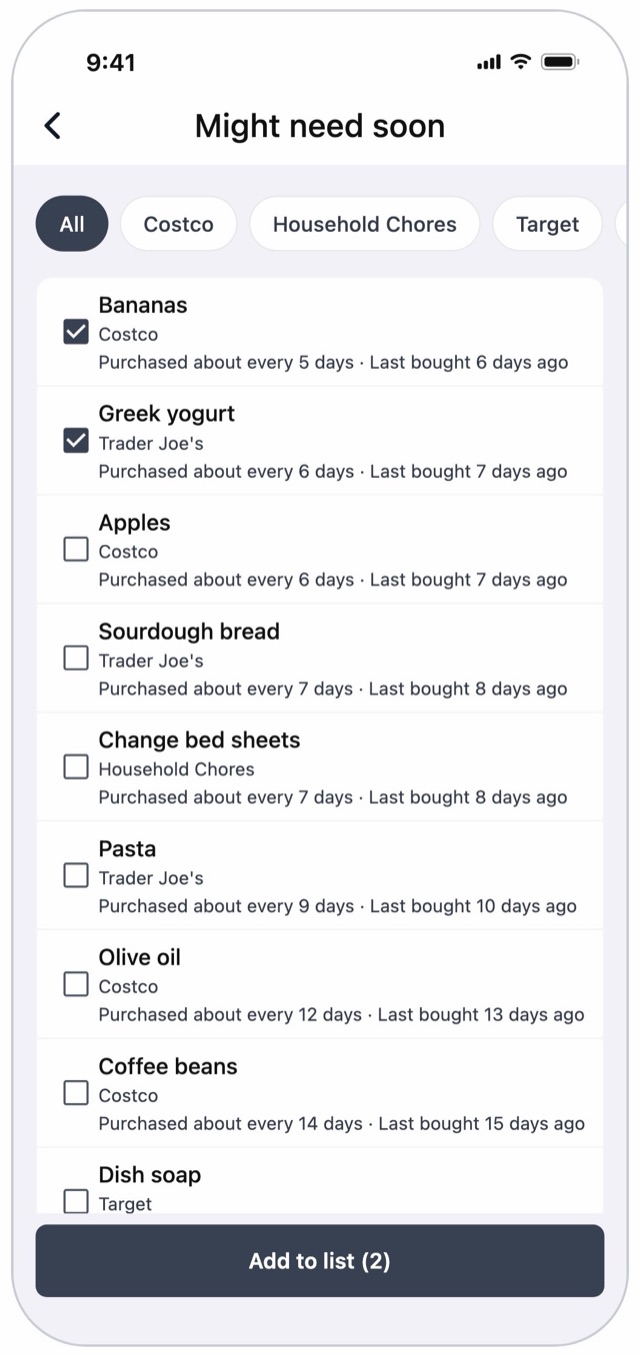
Might need soon
ListAhead learns how often you buy each item (milk every 4 days, coffee every 2 weeks) and suggests what’s due. Check the ones you need and add them to your list in one tap.
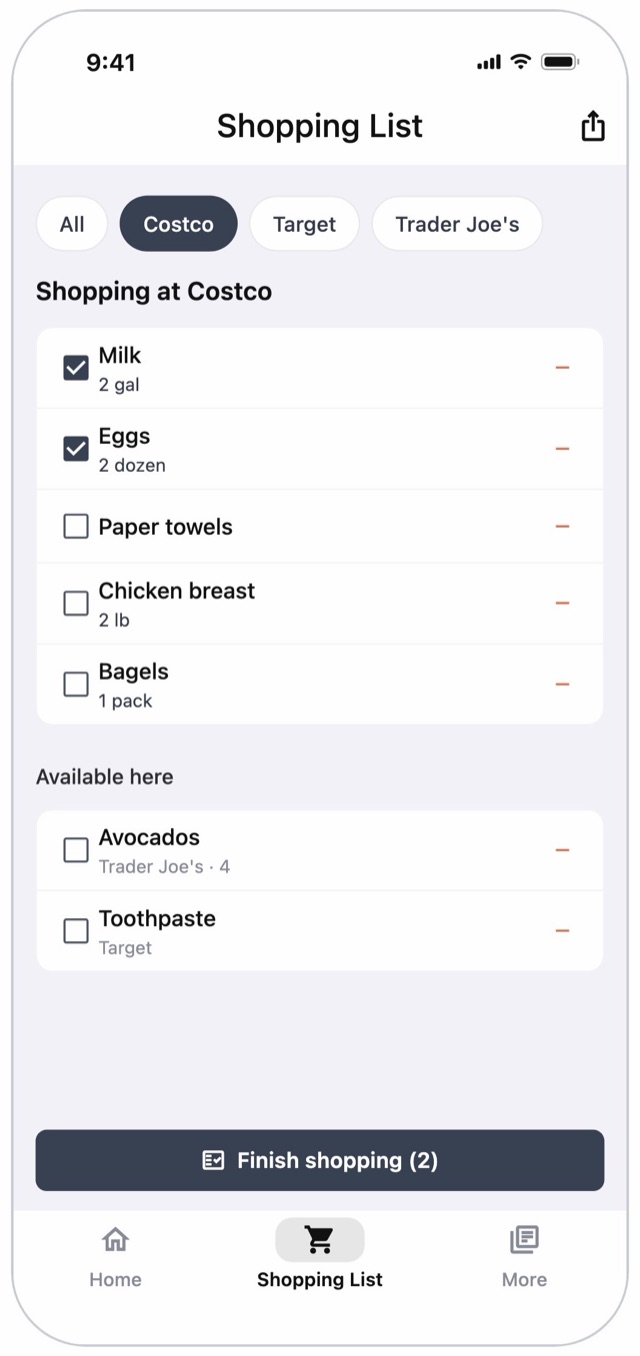
Available here
Add the other stores that carry an item under Also available at. While you shop at one store, Available here shows items from your list that it also carries, so you can skip the next stop.
Check items off as they go in the cart. Finish shopping saves them to Purchase History; anything you didn’t get stays on the list for next time.
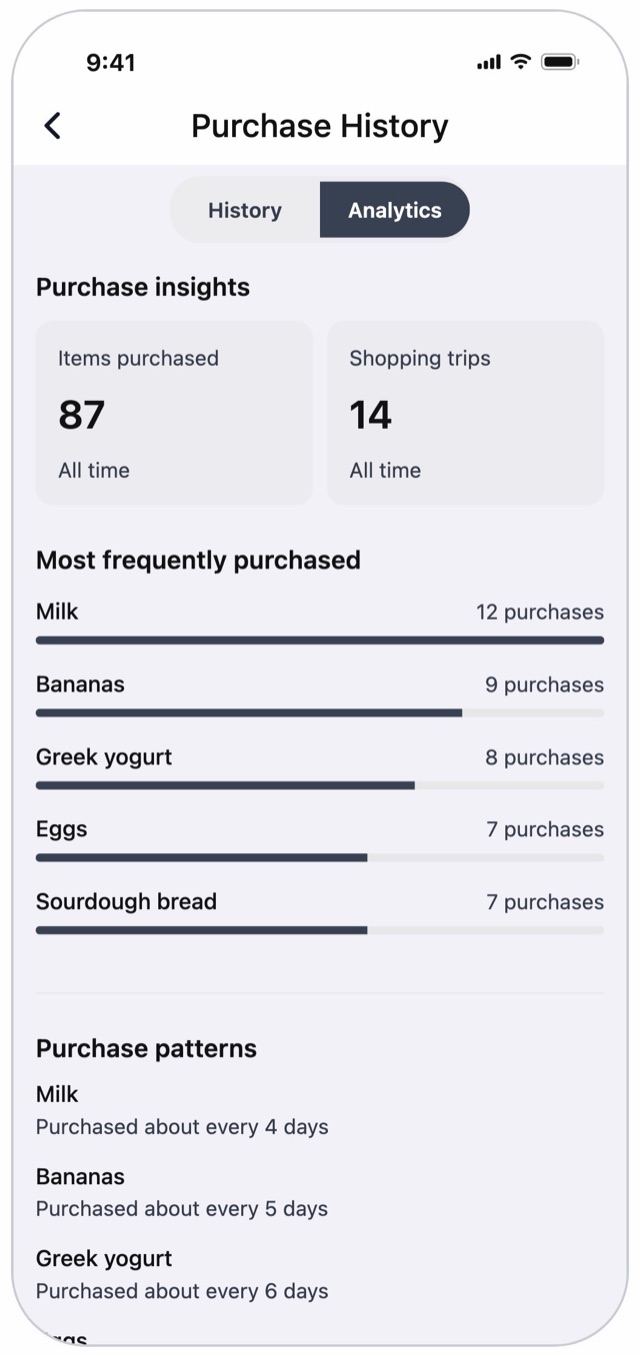
Purchase History
Every trip you finish shows what you buy and how often: your trips, items purchased, the things you buy most and their purchase patterns.
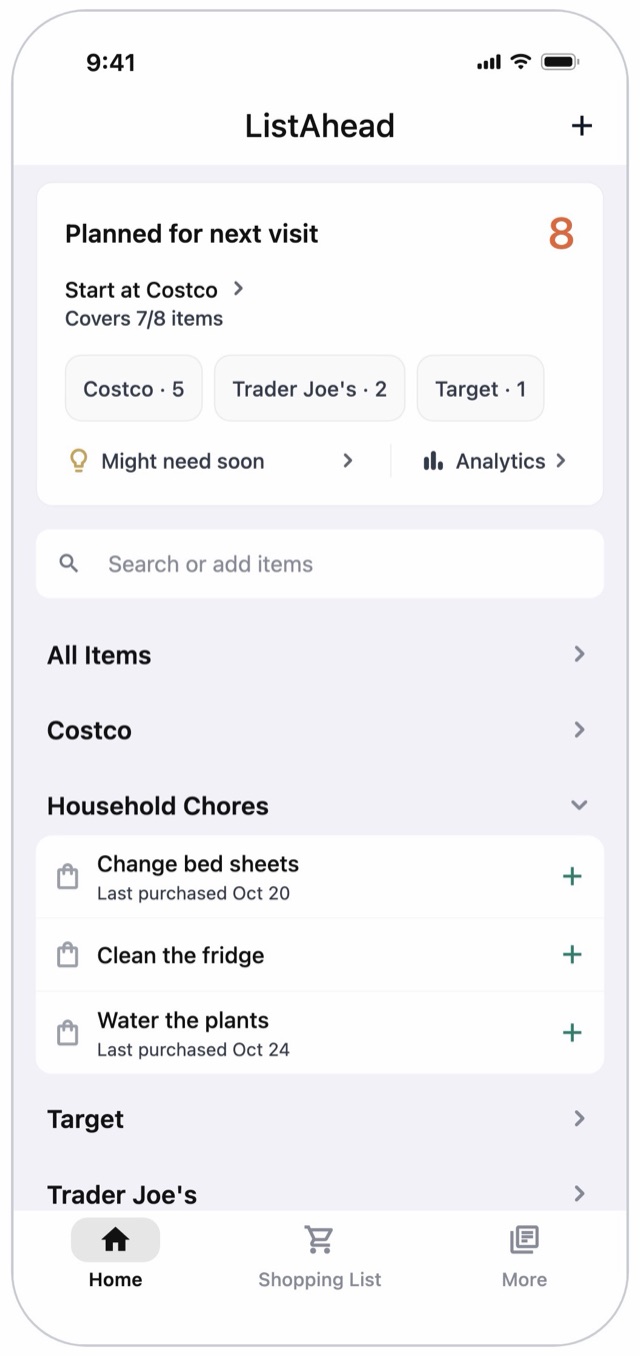
Just for fun
Add a “store” called Household Chores and check chores off like groceries. ListAhead learns how often each one comes around.
On your iPhone. ListAhead has no account and no server. If iCloud Drive is on, a backup is also saved to your own iCloud.
Sign in to the same Apple ID with iCloud Drive turned on, install ListAhead and open it. It offers to restore your iCloud backup. You can also go to More → Backup & Transfer → Restore from iCloud.
Yes. Go to More → Backup & Transfer to export a backup file, and restore it from the same screen.
ListAhead needs to see an item bought at least 4 times before it can tell how often you buy it. Keep using Finish shopping, and suggestions appear on their own.
Stores appear on Home once they have items. Add an item and set this store as its Preferred Store or under Also available at.
Go to More → Items or More → Stores and swipe to archive it. Archived items and stores can be restored from the same screen.
Questions, bugs or ideas? Email listahead.app@gmail.com. I usually reply within two business days.